I held a 30-minute internal session
As our designers began using the Figma integration based on the Model Context Protocol (MCP), I started hearing comments such as, “I do not understand how this works,” “I thought it would just work, but then it suddenly stopped,” and “What is a token?” Using a tool without knowing what is happening behind the scenes is more frustrating than it might seem. When it works, you simply move on. When it does not, you have no idea where to begin troubleshooting.
When I first started using artificial intelligence (AI), I spent a long time feeling lost because I did not know what to ask it to do or what questions would produce useful answers. Hoping to clear away at least some of that uncertainty, I held a short 30-minute session.
I set three goals for the session:
- Ease the vague sense of fear surrounding AI
- Develop at least a basic understanding of why prompts work or fail and how the underlying process operates
- Gain an intuitive sense of what happens behind the scenes when using the Figma MCP integration
What the session covered
I began by clearing up some misconceptions
It is natural for AI to feel like “something with a mind of its own.” The concept itself, however, has existed for quite some time.
In the 1950s, Alan Turing proposed the Turing test, an experiment designed to determine whether a computer could converse like a human. Systems at the time were capable of little more than answering “Woof” when asked, “What sound does a dog make?” They returned responses according to predetermined rules.
Ultimately, today’s AI is also a system that calculates responses to given questions in a prescribed way.
Why did AI suddenly take off?
Progress remained slow for many years after the 1950s. Hardware performance and data storage capacity were both insufficient, so the concept existed without advancing very far.
Two things changed in the 2010s. The first was data. As social media grew, people began uploading text and images at an explosive rate, creating material that could be used to train AI. The second was computing power, particularly improvements in graphics processing units (GPUs).
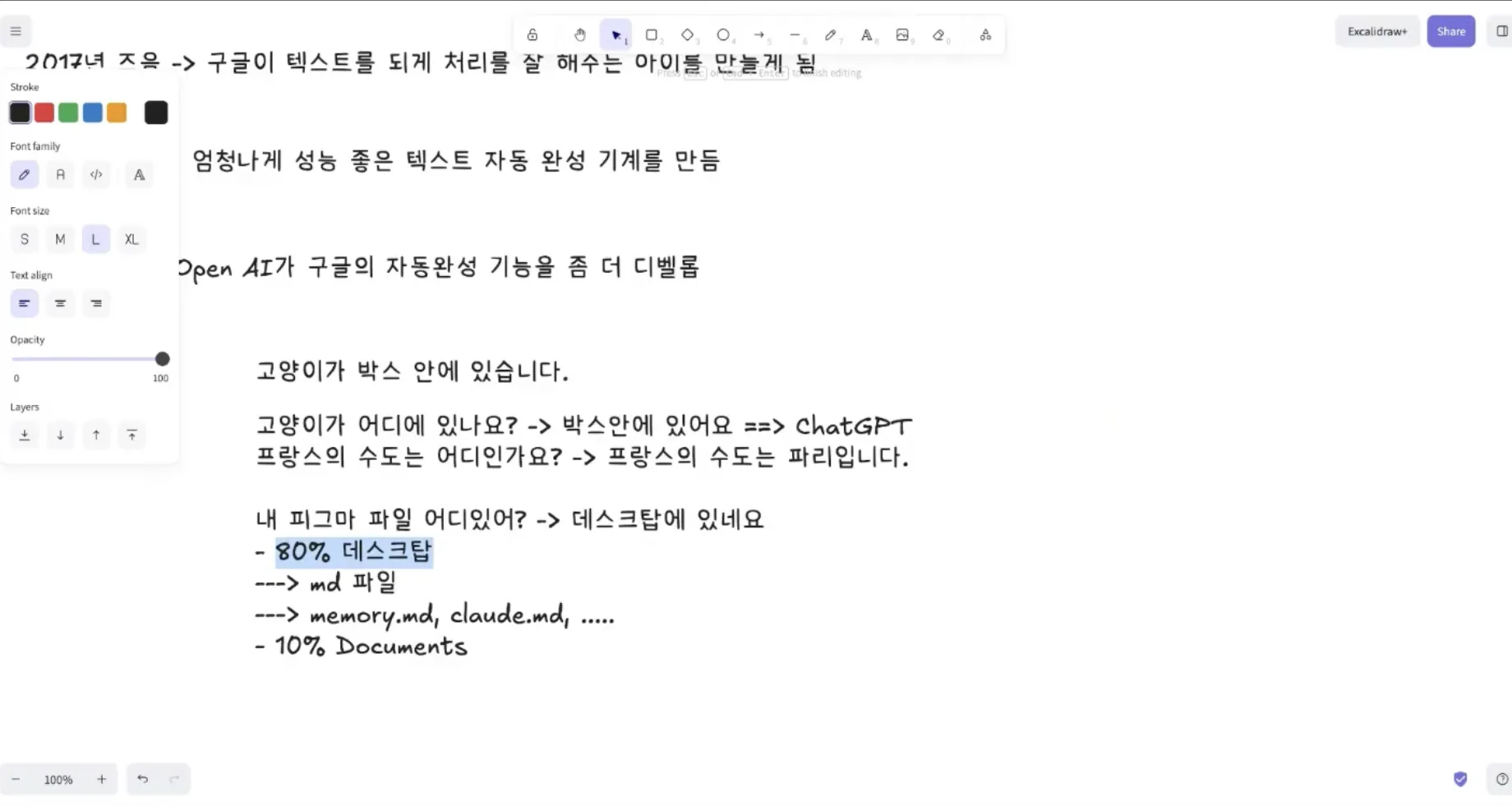
Then, in 2017, Google introduced the Transformer architecture. It provided a much faster and more efficient way to handle tasks such as text autocomplete.
In 2022, OpenAI adapted that technology for everyday question-and-answer interactions and released it as ChatGPT. The technology did not appear overnight. Rather, decades of accumulated development had finally reached the general public.
Ultimately, it is a probability calculation
AI calculates the probability of the word that will come next.
When asked, “What is the capital of France?”, it answers “Paris” because that is the most probable next word.
When asked, “Where is the cat?”, its internal calculation might look roughly like this:
- In the box: 80%
- Up a tree: 10%
- In the room: 5%
- Other: 5%
That is why the answer is “The cat is in the box.”
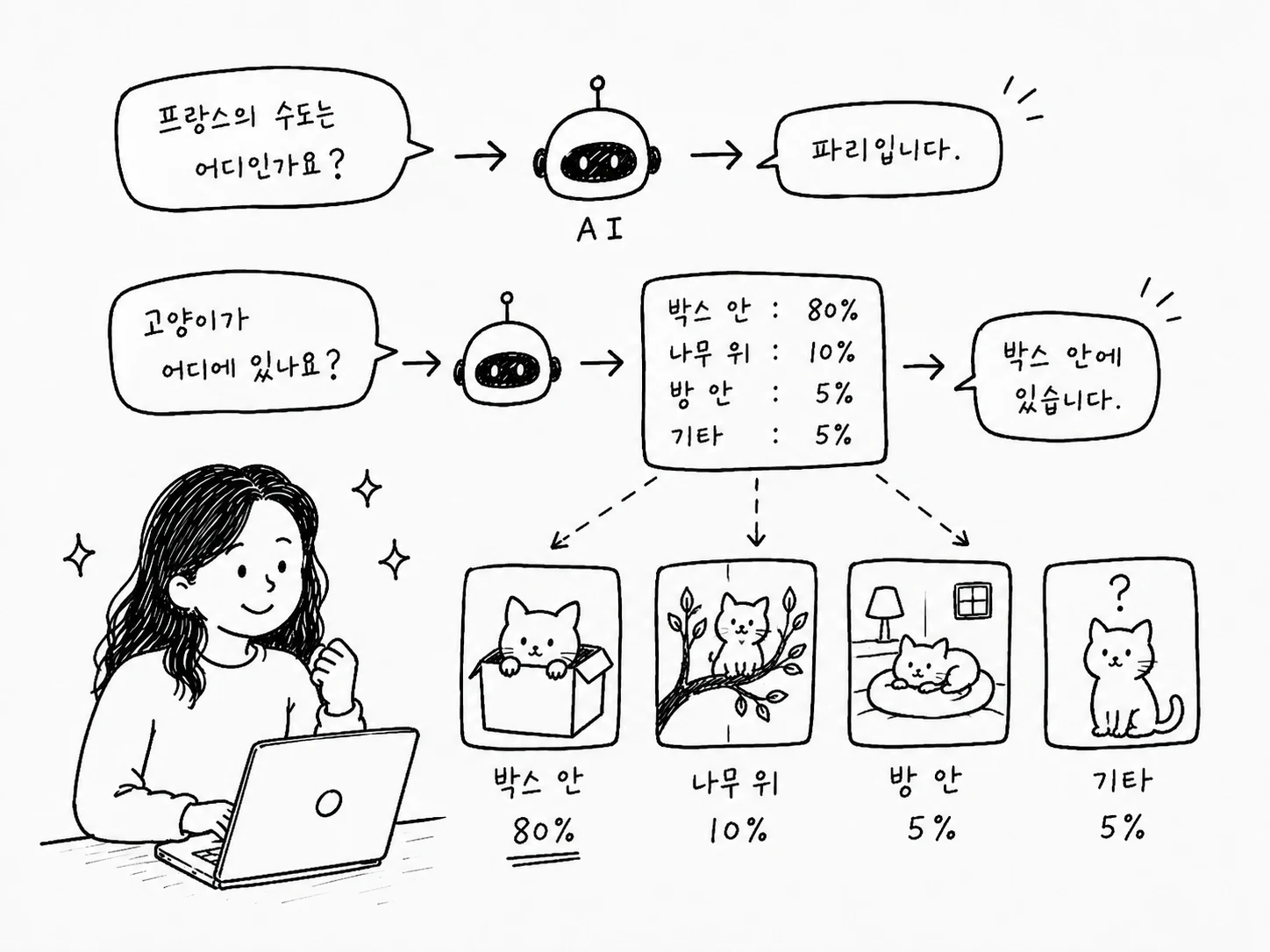
Its predictions are remarkably accurate because it has been trained on data at the scale of the internet. Rather than having developed a mind of its own, it is closer to an exceptionally capable autocomplete system.
Context reduces token use
Narrowing the scope of a question makes the prediction far more accurate.
If you ask, “Where is my Figma file?”, the AI has to search the entire computer, consuming a large number of tokens in the process. Add a single line such as, “It is probably somewhere on the Desktop,” and the narrower scope reduces token use while improving accuracy.
This is what files such as memory.md and claude.md do. They are context documents that AI reads before beginning a task. Prompt engineering became popular for a similar reason: well-designed context produces better answers while using fewer tokens.
What is the difference between Claude and Claude Code?
This distinction causes a great deal of confusion.
Claude (claude.ai) is the browser-based chat version. It is particularly capable at producing text, working with documents, and writing. However, it cannot control the terminal or directly modify files on your computer.
Claude Code is an AI agent that runs in the terminal. It uses the same model but can do much more:
- Control the terminal
- Access and modify files on the computer
- Generate and execute JavaScript Object Notation (JSON)
- Invoke external tools through MCP
The Figma MCP integration requires Claude Code. It does not work in claude.ai.
What the Figma MCP integration does
The AI model itself only predicts text, so it has no way to manipulate Figma directly. That is why the Model Context Protocol (MCP) sits between them.
Claude Code ↔ MCP ↔ Figma
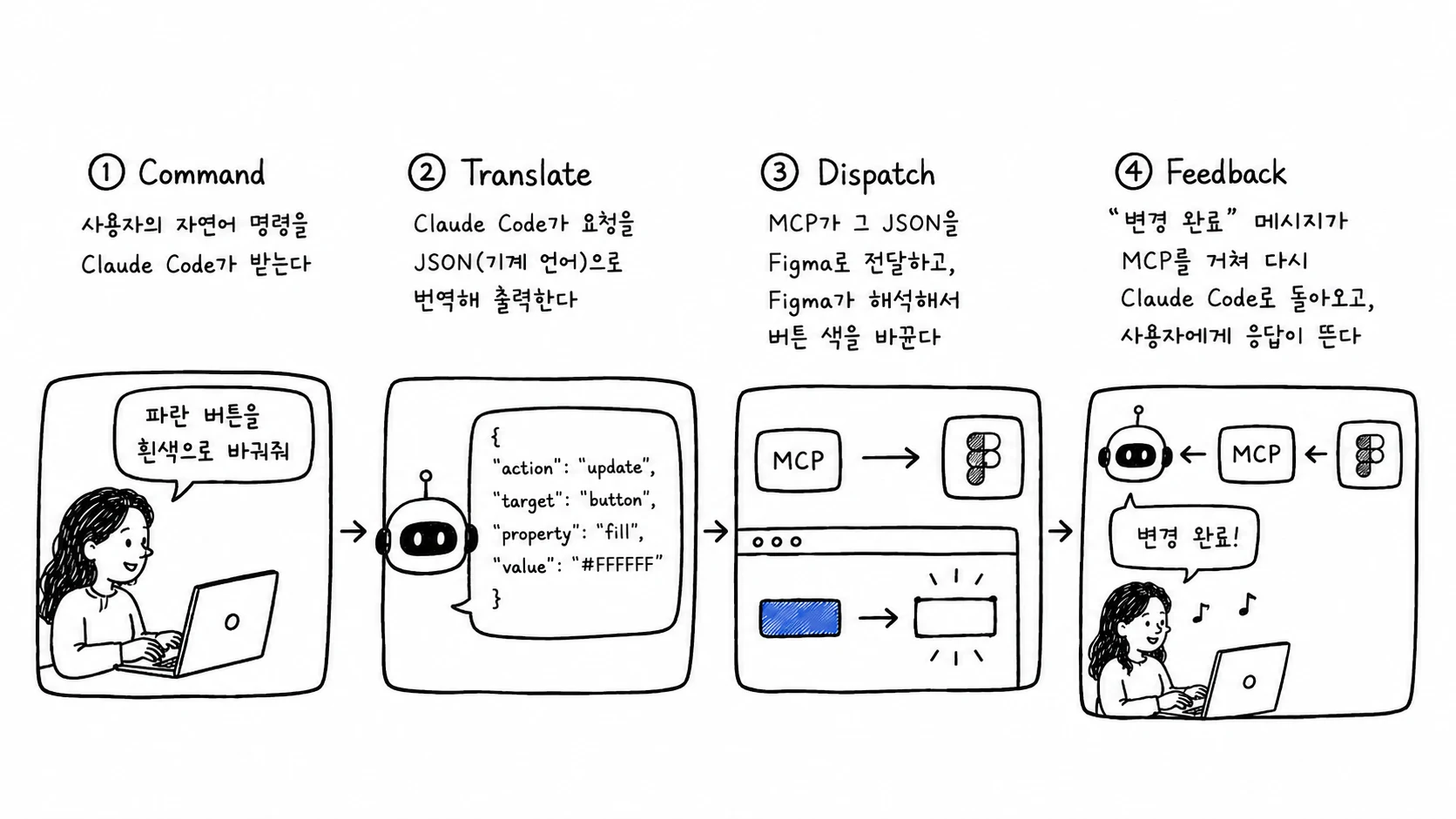
MCP relays information between the two. If you say, “Change the blue button to white,” the process actually unfolds as follows:
- Command — Claude Code receives the user’s natural-language instruction
- Translate — Claude Code translates the request into JSON, a machine-readable language, and outputs it
- Dispatch — MCP passes the JSON to Figma, which interprets it and changes the button’s color
- Feedback — A “Change complete” message returns to Claude Code through MCP, and a response appears for the user
MCP and Skills are different
MCP is an intermediary that communicates directly with external tools. It actually invokes external systems such as Figma.
A Skill (skill.md) is not an intermediary. It is a text document, or a kind of manual, that AI reads before beginning a task. The two are often used together. For example, a Skill might say, “Use the Figma MCP integration when necessary,” prompting the AI to invoke MCP when appropriate.
The longer a Skill becomes, the more tokens it consumes, so it is best to include only essential context.
Three things designers can try immediately
01. Think of it as autocomplete. If you write prompts on the assumption that AI is an extremely intelligent autocomplete system, both your expectations and requests will become far more realistic.
02. Provide context, target precisely, and break tasks down. Use Markdown files to provide context, narrow the scope to target the right area, and divide large tasks into smaller units. These practices account for most of the difference in output quality.
03. Do not ask for too much at once. If you ask it to “design more than ten screens,” it may generate too much text and exceed the token limit before the request even reaches MCP.
After the session
The fastest and most accurate way to learn how to set up the Figma MCP integration is to ask Claude, “How do I connect the Figma MCP integration?” It can combine a web search with the latest documentation, which is more effective than searching Google yourself.
There was one statement I deliberately repeated throughout the session:
AI is not a god. But it becomes remarkably intelligent when you give it the right context.
Once you understand how it works, the question “Why is this not working?” becomes “Ah, I did not provide enough context.” That uncertainty was what I wanted to clear away.